



REAPER 2026 Review – Features, Pros & Cons, and Is It Worth It?
Comprehensive REAPER 2026 review covering features, pricing, pros and cons, performance, and comparison with other DAWs. Find out if REAPER is the best DAW for your workflow.


If you're searching for a professional digital audio workstation without a subscription, REAPER continues to dominate the conversation in 2026. Developed by Cockos Incorporated, this lightweight yet incredibly powerful DAW has built a loyal community of producers, engineers, and composers worldwide.
But is REAPER still worth it in 2026? Let’s break it down.
What Is REAPER?
REAPER (Rapid Environment for Audio Production, Engineering, and Recording) is a full-featured DAW designed for recording, editing, mixing, mastering, and MIDI production.
It supports:
-
Windows, macOS, and Linux
-
VST, VST3, AU, CLAP, and JS plugins
-
Unlimited audio & MIDI tracks
-
Advanced routing and automation
-
Video playback & basic video editing
Unlike many competitors, REAPER remains small in file size but massive in capability.
What’s New in REAPER 2026?
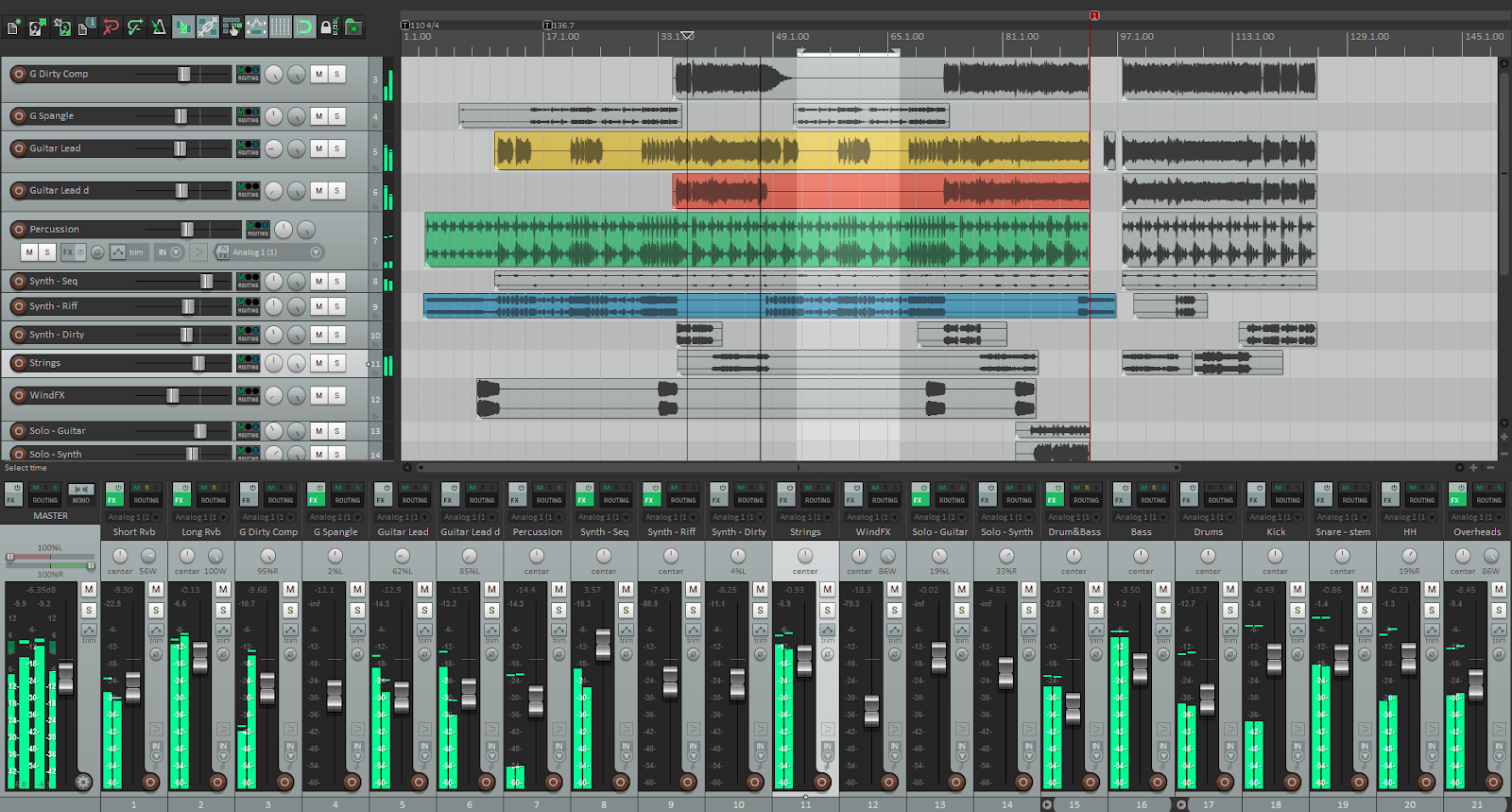
The 7.x series continues to receive frequent updates with performance improvements, workflow refinements, and expanded scripting tools. REAPER remains one of the fastest-loading and most CPU-efficient DAWs available today.
Major highlights include:
-
Improved MIDI editing workflow
-
Enhanced scripting and automation tools
-
Better UI scaling and theme customization
-
Stability optimizations for large projects
And yes — updates are still free within the same license version.
Key Features That Make REAPER Stand Out
1️⃣ Extreme Customization
REAPER is known for flexibility. You can customize:
-
Toolbars
-
Menus
-
Keyboard shortcuts
-
Themes
-
Macros & scripts
For advanced users, this means you can build a completely personalized production environment.
2️⃣ Lightweight but Powerful
REAPER installs in a tiny footprint compared to most DAWs, yet it handles:
-
Large orchestral templates
-
Heavy plugin chains
-
Complex routing setups
-
Professional mastering workflows
It runs smoothly even on modest hardware — making it perfect for home studios.
3️⃣ Affordable One-Time License
REAPER offers:
-
60-day fully functional trial
-
Affordable discounted license (for personal/small business use)
-
No subscription fees
In 2026, this pricing model feels refreshing compared to subscription-heavy competitors.
Pros and Cons
✅ Pros
-
Extremely customizable
-
Very CPU efficient
-
Affordable one-time payment
-
Active community and scripting ecosystem
-
Unlimited tracks and routing flexibility
❌ Cons
-
Default interface looks dated
-
Learning curve for beginners
-
Fewer built-in instruments compared to some DAWs
REAPER vs Other DAWs (2026)
Compared to:
-
Ableton Live – Better for live performance and electronic workflow
-
FL Studio – More beginner-friendly for beatmakers
-
Logic Pro – Strong built-in instruments and Apple ecosystem integration
REAPER wins in flexibility, efficiency, and long-term value.
Who Should Use REAPER in 2026?
REAPER is perfect for:
-
Mixing & mastering engineers
-
Independent producers
-
Podcast editors
-
Film/game audio designers
-
Users who want full control over their workflow
If you enjoy tweaking and customizing your tools, REAPER will feel like home.
Final Verdict
In 2026, REAPER remains one of the most powerful and affordable DAWs on the market. While its interface may not be flashy, its performance, flexibility, and value are nearly unmatched.
If you’re willing to invest a little time learning it, REAPER can become one of the most efficient production tools in your arsenal.


